The action never starts
Check the current input, your selected ability, and any visible cooldown. Try the action by itself before adding movement. A disputed key binding can look like an unresponsive game.
Know your controls. Read the chase.
Make your next round a better one.
Dash, stop, Shift, and the controls that need a closer look.
3 min read
Meet the Runners and Chasers. Know what to watch for in round one.
4 min readA practical way to separate lag, input, and unexplained behavior.
4 min readHuss Valley is a Roblox tag-and-chase experience by Huss Valley Official. Start with the correct Roblox game, then read the role and objective shown in your match. This guide covers that experience, not every Roblox game with “Huss Valley” in its name.
Pro Game Guides describes Runners trying to cross the arena three times while a Chaser tries to catch them. Caught players can become Chasers in later rounds. Check your current match prompts for the active rules; we have not independently tested this loop.
Read the on-screen objective and controls. A PC keyboard guide does not establish the equivalent phone or controller input.
Practice movement and the camera separately, then one displayed action. Watch any animation or availability indicator before trying a combination.
Notice what worked, what failed to start, or what responded late. Change one thing next round so you can compare the result.
Real frames from the trailer published with Huss Valley Official’s Roblox experience. These are promotional game footage, not screenshots from a play-test by this site.
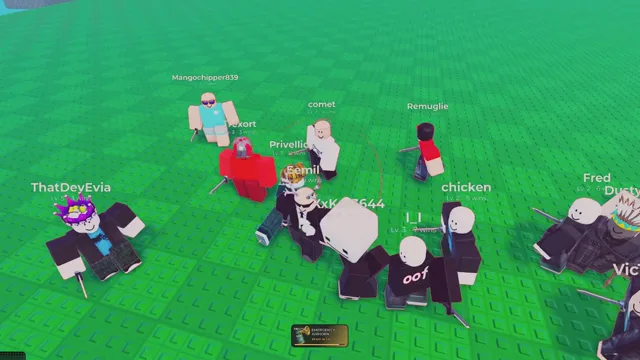
A group of avatars on the green arena. Notice how much space separates each player.
Huss Valley Official / Roblox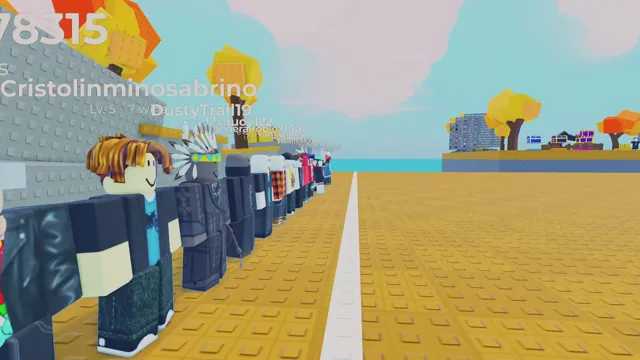
The trailer shows players beside a white line. Find the boundary and destination in your own round.
Huss Valley Official / Roblox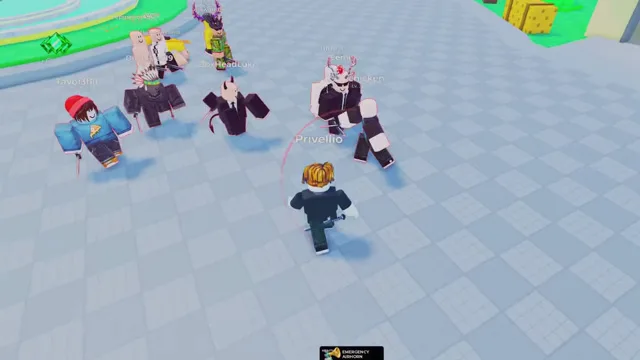
An encounter on the grey field. Watch the open space as well as the nearest opponent.
Huss Valley Official / RobloxFollow the camera, the white crossing line, and the space between players. Pause at a change of direction, then compare the footage with the controls displayed in your own session.
YouTube connects only after you load the player or open a video link. Creator footage is a reference, not a current-version play-test by us.A longer community guide with game screenshots and sections on the two roles, abilities, and consumables.
COMPARE · OUR CONTROL NOTESKeep the keyboard reference nearby. Our notes explain where published Alt and Dash descriptions disagree.
TRY · YOUR FIRST ROUNDCheck your role, find the crossing objective, and try one displayed action at a time.
A missed hit does not prove a particular bug or connection problem. Start with what you can observe, then compare the same action under similar conditions. These checks help describe a problem; they do not repair the game.
Check the current input, your selected ability, and any visible cooldown. Try the action by itself before adding movement. A disputed key binding can look like an unresponsive game.
If performance statistics are available, compare ping while the problem happens and when it does not. Record screen stutter separately: rendering performance and network delay are different observations.
Keep the action and device the same, note the target’s movement, and compare several attempts. We have not confirmed hitbox sizes, timing windows, or a reproducible hit-registration bug.
A useful report includes the device, action, approximate session time, and expected versus observed result. Keep private chat and account details out of recordings.
Follow the diagnostic checklistGaming sites have reported codes, but we have not confirmed their target game ID or successfully redeemed them in Huss Valley Official. A recent article date alone does not establish that a code works in your game.
Beebom’s codes report needs that identity and redemption check. Roblox Den’s codes page links to the separate Ve3 experience. Do not transfer a “working” label between the two.
Before trying a code, compare the linked Roblox place, its creator, and the source of the announcement. If your version has a redemption menu, use its displayed instructions. Never give a code website your Roblox password.
Check sources and code statusHuss Valley Official, Ve3’s Huss Valley, and Escape Huss Valley are separate Roblox experiences. Their controls and codes don’t automatically carry over.
The Roblox experience by Huss Valley Official, place ID 107535308163741. Open the correct game on Roblox.
We haven’t independently verified Shift in the current version, and the guides reviewed don’t establish its function. Check the in-game controls for your device instead of assuming it is sprint. See the controls notes.
New codes have been reported by gaming media, but this site has not verified their game ID or redeemed them. We keep reported codes separate from confirmed results. Read the current codes status.
A missed hit alone doesn’t identify the cause. Compare your connection, frame rate, inputs, and what other players observe before blaming one factor. Use the troubleshooting checklist.